Affiliate Programs
Affiliate Programs
The Affiliate Programs tab is where admins create and configure different affiliate commission plans. These programs define how much commission an affiliate earns, whether it's a percentage of the sale or a fixed amount per referral.
- From left-hand side of the page under Affiliates section, click on Affiliate Programs to view list of affiliate programs.
- To create a new affiliate program click on Add Program.
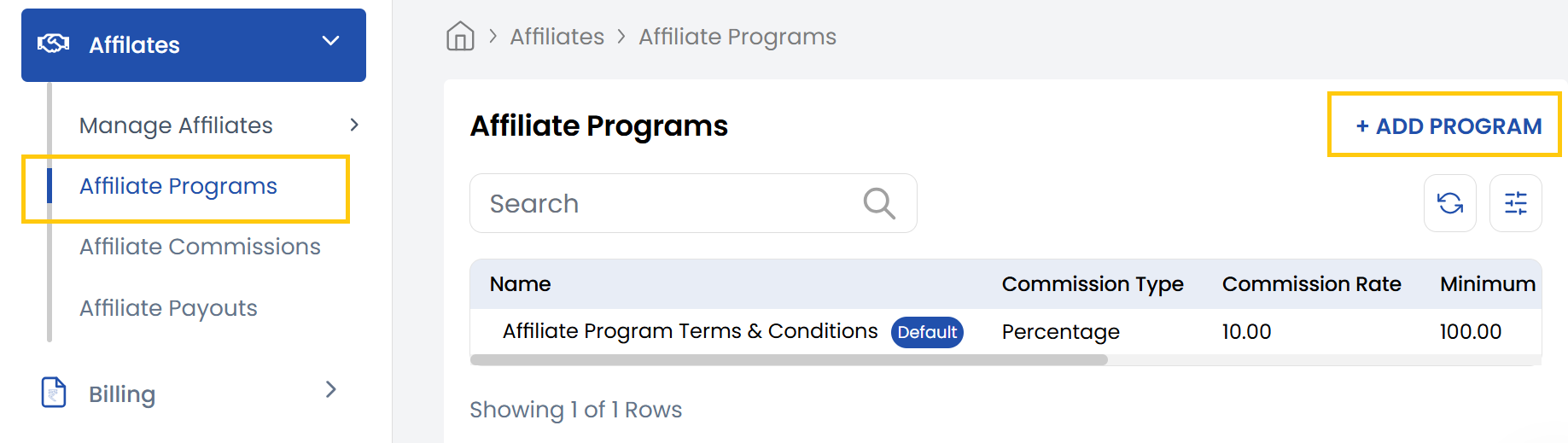
- Fill the Affiliate Program form to create affiliate program.
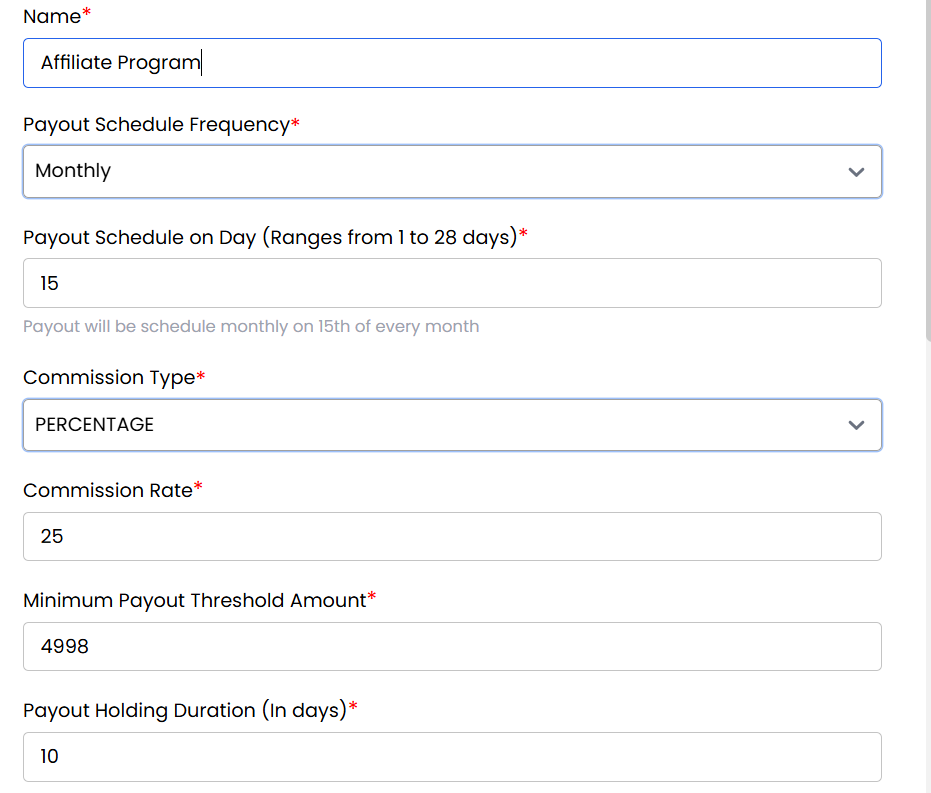
- Name: Enter the name of the affiliate program (e.g., "20% Monthly Plan").
- Payout Schedule Frequency: Choose how often payouts will be made (e.g., Weekly, Monthly).
- Payout Schedule on Day (1–28): Set the specific day of the month when payouts occur.
- Commission Type: Select whether commission is a fixed amount or a percentage of sales.
- Commission Rate: Enter the exact commission amount or percentage.
- Minimum Payout Threshold Amount: Minimum commission balance required to trigger a payout.
- Payout Holding Duration (In days): Days to hold commission before making it eligible for payout.
- Terms and Conditions: Add any legal or operational terms for this affiliate program.
- Status: Set the program as Active or Inactive.
- Commissions on the Renewal of Services: Enable if commissions should apply to renewals.
- Mark as Default: Make this the default program for new affiliates. Click on Submit your affiliate program will be created.
Conclusion
The Affiliate Programs section allows complete customization of commission structures and payout rules. For program configuration assistance, contact support.